Three standard shots per item at ACBuy's warehouse
What the standard inspection photos show, what extra photos and videos cost, and a six-point order for checking them before an item ships.
The standard set ACBuy shoots
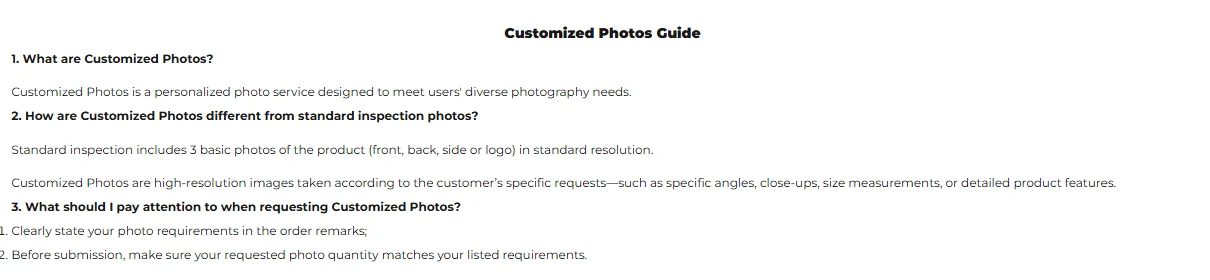
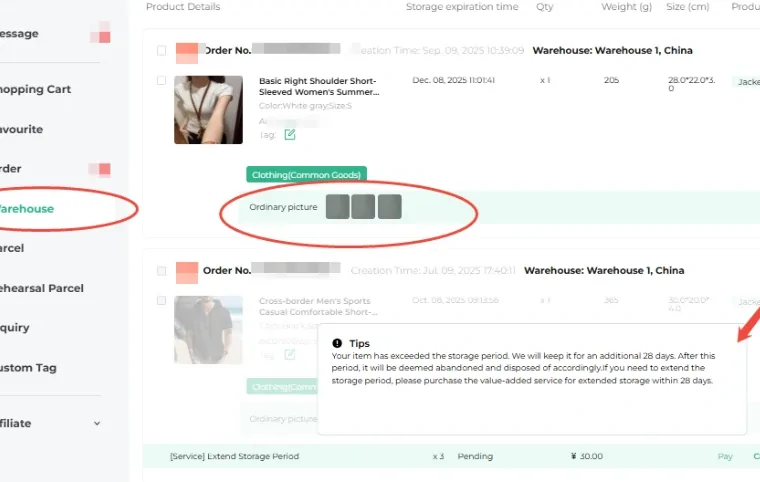
When an item reaches ACBuy's warehouse and is marked Stored, staff photograph it. ACBuy's Introduction to Customized Photos page defines the standard set: 3 basic photos of the product (front, back, side or logo) in standard resolution
. The homepage banner advertises 3 to 5 free photos; the service page is the one that defines the set, so plan on three.
These photos are often called QC photos (quality check). They are not a test of the product. They show that the item arrived, which variant it is, and what it looks like under the warehouse light, which is enough to catch the common problems: wrong color, wrong size tag, a missing part, an obvious flaw.
Detail shots and short videos on request
ACBuy's value-added services page lists what you can ask for on top of the standard set, each priced per request:
- Detailed photos of a part you name, such as a size label, a logo or a seam: ¥2 per photo. Say which item and exactly what you want.
- Detailed video of 20 to 90 seconds, depending on the product: ¥25.
- Customized photos in high resolution, with specific angles, close-ups or measurements, requested through the order remarks.
We read those prices on November 9, 2026. For most clothing, one extra photo of the size label and one of a measurement laid against a tape answers more than a video does.

Six looks per photo, a QC checklist
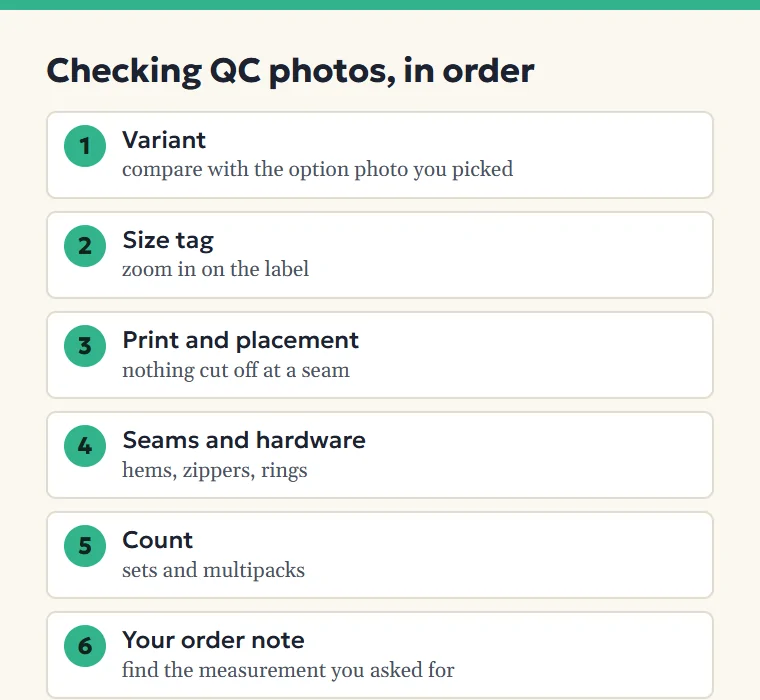
- Variant first. Hold the photo next to the option image you picked. Color names in Chinese listings are loose; the picture is what you ordered.
- Size tag. Zoom in on the label. A tag that reads L when you ordered XL is the most common fixable mistake.
- Print and placement. Check that graphics sit where the listing shows them and are not cut off at a seam.
- Seams and hardware. Loose threads at the hem, a crooked zipper, a strap ring that looks bent.
- Count. Sets and multipacks: count the pieces.
- Anything you asked for in the order note. If you requested a measurement, find it before you approve.
What photos cannot show: smell, weight in the hand, fabric feel, and a color shift caused by the warehouse lighting. Ask for a detailed photo in daylight if color is the deciding factor.
If a shot reveals a fault
Act inside the window. ACBuy counts the return period from the item's Stored status, so the photos arrive at the start of a short clock. The details belong to ACBuy's returns rules; what matters here is that your level sets how many free return or exchange attempts you have this month, from one at V0 to six at V6.
If the seller sent the wrong item or a faulty one, ACBuy's returns terms put the cost on the seller rather than on you. If you simply changed your mind, you pay the shipping both ways plus a service fee, unless a free attempt covers the charge.
Before you ask for a return, write down what is wrong and which photo shows it. Support works from the same photos.
The order note does half the work
ACBuy's photo page asks buyers to clearly state your photo requirements in the order remarks
. Writing the request when you order, not after the item arrives, means the photos come back once with what you need. A good note is one line: Please photograph the size label and measure chest width laid flat.
Next on this site: Buying with ACBuy Return attempts by level Choosing an item